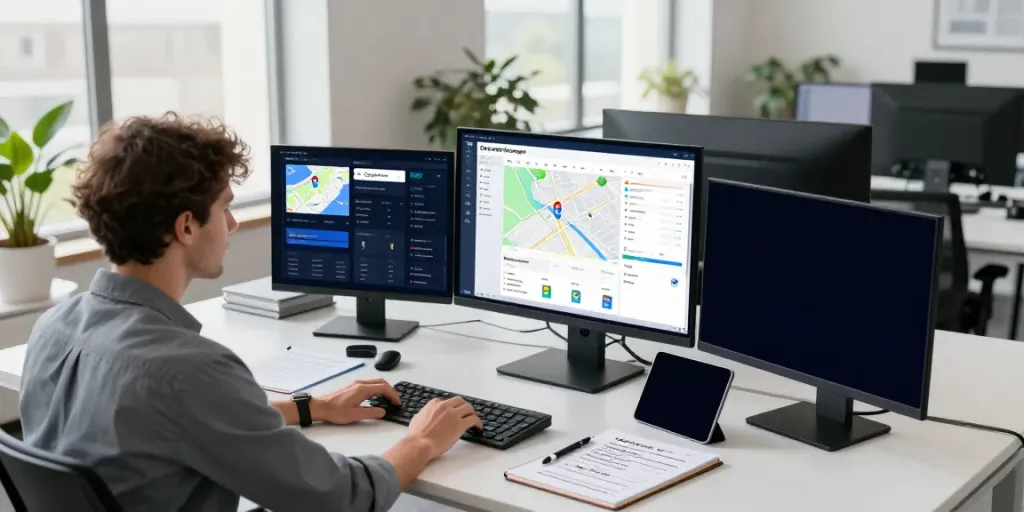
Understanding Outscraper Google Maps Scraper
In the era of digital marketing and data-driven decision making, businesses need robust tools to harness public data effectively. One such tool is the Outscraper Google Maps Scraper, designed to help organizations extract essential data from Google Maps effortlessly. This software not only simplifies the process of data extraction but also maximizes the value businesses can derive from location-based information.
What is Outscraper Google Maps Scraper?
The Outscraper Google Maps Scraper is an advanced tool that enables users to extract information from Google Maps quickly and efficiently. It allows businesses to gather data on various parameters, including business names, addresses, phone numbers, emails, and customer reviews. This information is crucial for companies looking to enhance their digital presence, conduct market research, or generate leads effectively.
Key Features and Benefits
- Fast Data Extraction: The Outscraper tool is designed for speed, allowing users to scrape large volumes of data in a short time.
- User-Friendly Interface: With an intuitive interface, even those without technical expertise can navigate the tool effortlessly.
- Customizable Searches: Users can customize their searches based on location, category, and other filters to obtain highly relevant results.
- Data Export Options: The tool supports exporting of data in various formats, including CSV and JSON, making it easier to analyze and integrate into other applications.
- API Integration: Outscraper provides API access, allowing developers to integrate data scraping capabilities into their own applications seamlessly.
User Experience Insights
Many users have reported a positive experience with the Outscraper Google Maps Scraper due to its reliability and efficiency. The one-click data extraction process has been particularly praised, as it saves time and reduces the complexity typically associated with data scraping. Furthermore, the customer support team is responsive, which enhances user confidence in leveraging the tool for various applications.
How to Effectively Use Outscraper Google Maps Scraper
Step-by-Step Guide to Setup and Configuration
Getting started with the Outscraper Google Maps Scraper is straightforward. Here’s a step-by-step guide:
- Sign Up: Visit the Outscraper website and create an account.
- Choose the Google Maps Scraper: Once logged in, navigate to the Google Maps Scraper tool.
- Configure Your Search: Input your desired location and filters to tailor your results.
- Run the Scraper: Click the 'Start' button to initiate the scraping process.
- Export Data: After the scraping is complete, export your data in the preferred format.
Best Practices for Data Extraction
To maximize the effectiveness of the Outscraper Google Maps Scraper, consider these best practices:
- Use Specific Search Filters: The more specific your search parameters, the more relevant your results will be.
- Regular Updates: Schedule regular data scraping to keep your databases current.
- Analyze Data Trends: Use the data gathered to identify market trends and opportunities.
- Follow Ethical Guidelines: Ensure that your data scraping complies with local regulations and ethical standards.
Common User Challenges and Solutions
While the Outscraper Google Maps Scraper is user-friendly, some common challenges users face include:
- Data Accuracy: Sometimes scraped data may not be up-to-date. Regular scraping and verifying details against official sources can mitigate this.
- Rate Limits: Google may impose restrictions on scraping rates. A careful approach to scraping frequency can help avoid issues.
- Technical Issues: If you encounter any technical difficulties, reach out to customer support for assistance.
Advanced Techniques for Data Scraping
Integrating Outscraper with Other Tools
Outscraper can be effectively integrated with various tools to enhance its capabilities. For instance, pairing Outscraper with CRM systems allows businesses to manage leads and customer data more efficiently. Additionally, integrating with data analysis tools can provide deeper insights into the information gathered.
Leveraging APIs for Enhanced Features
The Outscraper API enables developers to access scraping capabilities programmatically. This means businesses can automate data extraction processes, set up workflows, and integrate data into existing systems without manual intervention.
Real-World Case Studies of Successful Implementations
Many companies have successfully utilized the Outscraper Google Maps Scraper to boost their marketing efforts. For example, a local restaurant chain utilized the tool to gather competitive data on nearby businesses, allowing them to tailor their promotions and marketing strategies effectively. Another company used the data to improve their B2B lead generation efforts by identifying key contacts within target industries.
Legal and Ethical Considerations
Is Scraping Public Data Legal?
The legality of data scraping can be complex and often depends on the jurisdiction and how the data is used. Generally, scraping publicly available information is legal, but users should always check for specific terms of service and local laws.
Adhering to Google Maps Policies
Google has specific guidelines regarding data usage from Google Maps. It is crucial for businesses to adhere to these policies to avoid penalties or bans on their accounts. Consulting legal expertise can provide clarity on how to use scraped data responsibly.
Best Practices for Ethical Data Use
To ensure ethical data usage, businesses should:
- Provide Attribution: When using scraped data in public domains, consider giving appropriate credit.
- Be Transparent: Inform customers how their data is being used, especially if you're using it for marketing purposes.
- Limit Data Retention: Only keep data for as long as necessary for business purposes.
Future of Data Extraction with Outscraper
Emerging Trends in Data Scraping Technologies
The future of data scraping is likely to be influenced by advancements in artificial intelligence and machine learning. These technologies can improve data accuracy, enhance data processing speeds, and enable more sophisticated analysis of scraped data.
Predictions for the Industry in 2026
As we look toward 2026, the data scraping industry is expected to evolve significantly, with increased emphasis on compliance and ethical considerations. Tools like the Outscraper Google Maps Scraper will likely incorporate advanced features such as predictive analytics to help businesses make informed decisions.
How Outscraper Is Positioning Itself for Future Success
Outscraper is continuously innovating to meet the demands of its users. By staying updated with industry trends and incorporating user feedback, Outscraper ensures it remains a leader in the data scraping space. Future updates could include enhanced data visualization tools and more robust API features to support a broader range of applications.
Is Google Maps scraper legal?
Scraping Google Maps can be legal if done in compliance with their terms of service. Businesses should ensure they understand these terms and consult legal experts if needed.
What is the best free Google Maps scraper?
While many tools offer free scraping capabilities, it is essential to evaluate their features and limitations before deciding which is best for your needs.
How does Outscraper compare to other scrapers?
Outscraper stands out due to its user-friendly interface, speed of data extraction, and comprehensive features that cater specifically to Google Maps data.
Can I use Outscraper for business lead generation?
Absolutely! The Outscraper Google Maps Scraper is an excellent tool for generating leads, allowing businesses to collect vital information about potential customers in specific locations.
How to troubleshoot common Outscraper issues?
If you encounter issues while using the Outscraper Google Maps Scraper, check the FAQ section on their website or reach out to their customer support for assistance.