The Importance of Touchpad & Control Repair Services
In today’s technology-driven world, the functionality of devices like laptops and gaming consoles hinges not only on the core hardware but also on the precision of auxiliary components such as touchpads and control systems. When it comes to maintaining these critical elements, professional repair services are essential. Touchpad & Control Repair Sydney offers specialized services to ensure that your devices function seamlessly, enhancing overall user experience and preventing minor issues from escalating into costly repairs.
Understanding Common Touchpad Issues
Touchpads, often taken for granted, can exhibit a range of problems—from unresponsiveness to erratic cursor movements. Common issues include:
- Physical Damage: Cracks or dents that can affect usability.
- Software Glitches: Driver issues that prevent the touchpad from working properly.
- Connection Problems: Loose connections that cause intermittent functionality.
- Dirt and Debris: Accumulation of dust or particles that hinder movement.
Understanding these issues is the first step toward effective repair, and recognizing them early can save users time and money.
Why Timely Repairs Matter
Addressing touchpad issues promptly is crucial. Delaying repairs can lead to further system malfunctions, potentially causing additional damage to the device. For instance, a malfunctioning touchpad that causes erratic responses could lead to accidental clicks and lost work. Furthermore, timely repairs can enhance user safety by preventing electrical issues caused by damaged control systems.
Benefits of Professional Repair Over DIY
While DIY solutions can seem tempting and cost-effective, they often lack the precision and expertise found in professional services. Here are several reasons why opting for professional repair is advantageous:
- Expert Diagnosis: Professionals have the tools and knowledge to accurately identify issues.
- Quality Parts: Authorized repair services use high-quality replacement parts.
- Warranty Protection: Professional repairs often come with warranty support, providing peace of mind.
- Time Efficiency: Professionals can diagnose and fix problems quicker than most individuals can.
Identifying Touchpad Problems
Signs Your Touchpad Needs Repair
Being able to recognize signs that indicate a need for repair can aid users in making timely decisions. Common indicators include:
- Inconsistent pointer movement or jumping cursor.
- Touchpad not responding or only partially functioning.
- Physical damage, such as cracks or a sticky surface.
- Frequent disconnections or lagging when used.
Common Misconceptions About Touchpad Malfunctions
Many users believe that touchpad issues can easily be resolved with software updates or mere cleaning. However, these assumptions can lead to prolonged downtime and frustration. For example, while a software update may resolve a connectivity issue, it cannot address physical damage or wear that also hampers functionality. Understanding the complexity behind touchpad malfunctions is vital for effective troubleshooting.
Tools and Techniques for Diagnosis
Professionals use various tools and techniques to diagnose touchpad issues accurately. Common practices include:
- Testing Hardware: Using specialized software to assess hardware functionality.
- Driver Updates: Checking for the latest drivers that may resolve software issues.
- Visual Inspection: Examining the touchpad for physical signs of damage.
Best Practices in Touchpad & Control Repair
Step-by-Step Repair Process
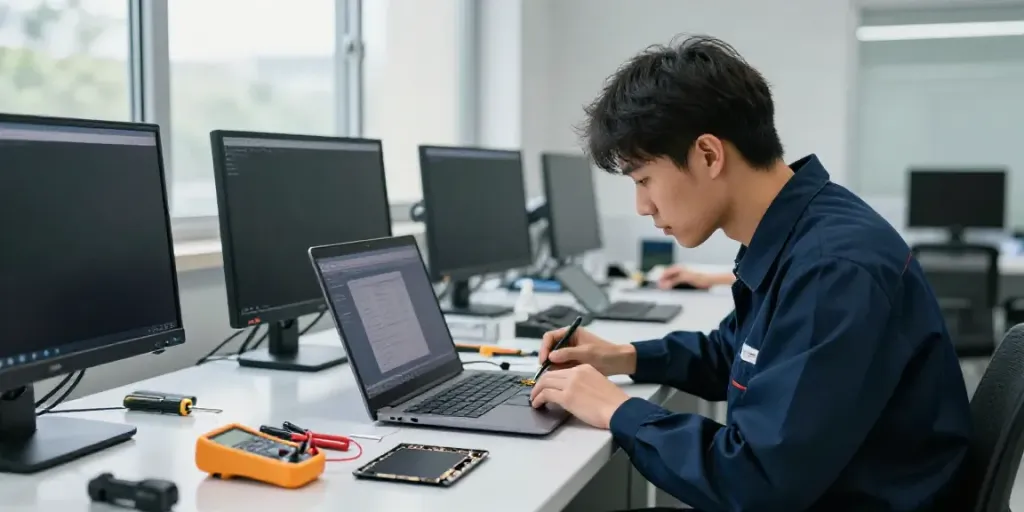
The typical repair process includes several key steps:
- Diagnosis: Identifying the specific issue through thorough examination.
- Disassembly: Carefully disassembling the device to access internal components.
- Replacement: Installing new parts as required, ensuring compatibility.
- Reassembly: Putting the device back together while ensuring all components are correctly fitted.
- Testing: Conducting extensive tests to ensure functionality before finalizing the repair.
Choosing Quality Replacement Components
Using high-quality replacement parts can affect the longevity and performance of the touchpad. Always opt for components from reputable suppliers or manufacturers to ensure compatibility and reliability. This consideration is vital to avoid future problems and additional expenses.
Maintaining Your Touchpad for Longevity
Preventative maintenance can extend the life of a touchpad considerably. Here are tips to maintain touchpad health:
- Regularly clean the surface with a microfiber cloth.
- Avoid eating or drinking nearby to prevent spills.
- Utilize protective covers to prevent accidents.
Cost Considerations for Touchpad Repairs
Average Repair Costs in Sydney
The cost of touchpad repairs in Sydney can vary based on several factors, including:
- Type of device (laptop, gaming console, etc.).
- Extent of the damage or necessary repairs.
- Labor costs associated with the repair.
On average, simple repairs can range from AUD 100 to AUD 250, while more complex issues may exceed AUD 400.
Factors Influencing Repair Prices
Several factors can influence repair prices, including:
- The device age and model.
- The cost of replacement parts.
- Labor rates charged by repair technicians.
It's advisable to get multiple quotes to ensure that you are receiving a fair price for the repairs.
Warranty and Service Agreements
Many repair services offer warranties or service agreements. Understanding these terms can protect you against future costs and ensure that your device remains in good working condition. Always inquire about the specifics of any warranty offered before proceeding with repairs.
Future Trends in Touchpad Technology and Repairs
Emerging Technologies in Touchpad Design
As technology advances, touchpads are evolving significantly. Future designs may incorporate:
- Enhanced haptic feedback for a more tactile experience.
- Multi-touch capabilities that allow for more gestures.
- Integration with artificial intelligence for smarter functionality.
Predictions for Repair Services Post 2026
As the demand for touchpad and control systems grows, repair services will likely adapt by offering:
- More on-site repair solutions to enhance convenience.
- Increased use of remote diagnostics to expedite service.
- More eco-friendly repair practices to reduce electronic waste.
How to Stay Updated on Touchpad Innovations
To remain informed about the latest touchpad innovations and repair techniques, consider:
- Following reputable technology blogs and industry news sources.
- Joining communities and forums focused on device repair.
- Participating in workshops or training on new repair technologies.
What is the typical cost to repair a touchpad?
The typical cost for touchpad repair can range significantly based on the issues encountered, but most repairs fall between AUD 100 and AUD 250.
Can a broken touchpad be fixed?
Yes, most broken touchpads can be repaired, whether it requires simple adjustments or complete replacement of the component.
What is the average replacement cost for a touchpad?
Replacement costs typically range from AUD 100 to AUD 400, depending on the device and the extent of repair needed.
How long does a touchpad repair take?
Repair times can vary but generally range from a few hours to a couple of days, depending on the complexity of the issue and the availability of parts.
Where to find reliable touchpad repair services in Sydney?
Finding reliable touchpad repair services can be as simple as searching online or asking for recommendations from friends. For more information, Cover Fits, Repairs, Clean Spa in Sydney offers valuable insights. It’s important to read reviews and check the service provider’s track record to ensure quality repairs.