Understanding Document Scanners
In today's digital age, the ability to convert physical documents into electronic formats is essential for both individuals and businesses. Document scanners have revolutionized how we manage paperwork, offering efficiency, organization, and accessibility. From small home offices to large corporate environments, document scanners play a pivotal role in streamlining operations. When exploring options, Document Scanners come in various types and functionalities tailored to meet diverse user needs.
What are Document Scanners?
Document scanners are specialized devices designed to convert printed documents, images, and photographs into digital formats. Unlike traditional printers, which primarily produce hard copies, scanners digitize documents for easy storage, sharing, and editing. These devices vary in complexity, from simple handheld models to advanced multi-function systems equipped with features like duplex scanning, OCR (Optical Character Recognition), and connectivity options.
Key Benefits of Using Document Scanners
- Increased Efficiency: Scanning documents eliminates the need for manual data entry and allows for quick digital access.
- Space Saving: Digital storage reduces physical paper clutter, enabling organizations to maximize office space.
- Improved Organization: Digital files can be easily categorized, searched, and retrieved compared to traditional filing systems.
- Enhanced Security: Digital documents can be encrypted and backed up, providing a more secure method of document management.
Types of Document Scanners Available
Document scanners come in various forms, suited to different scanning needs and environments:
- Flatbed Scanners: Ideal for scanning books, magazines, and fragile documents due to their flat surface.
- Sheet-fed Scanners: Designed for high-volume scanning, these devices can quickly process multiple pages through an automatic feeder.
- Portable Scanners: Compact and lightweight, these scanners are perfect for on-the-go professionals who need to digitize documents in various locations.
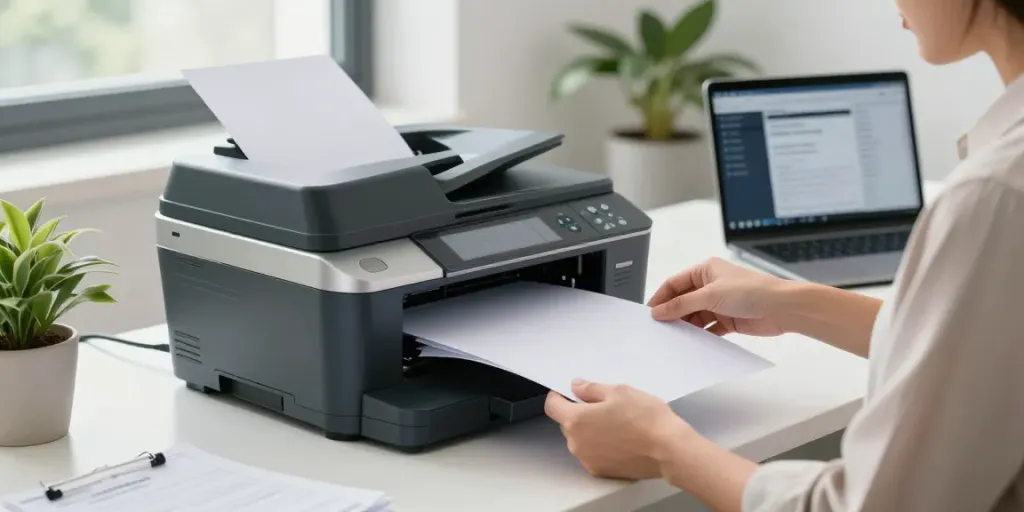
- Multi-function Printers: These devices combine printing, scanning, and copying into a single machine for added convenience.
Choosing the Right Document Scanner
With numerous options available, selecting the right document scanner requires careful consideration of several factors. Understanding your specific needs and the features offered by different models will guide you towards the best choice for your situation.
Factors to Consider When Selecting a Document Scanner
When evaluating document scanners, consider the following factors:
- Scanning Speed: Measured in pages per minute (PPM), faster scanners are more efficient for high-volume needs.
- Connectivity: Look for USB, Wi-Fi, or Bluetooth options to facilitate easy integration with your existing systems.
- Image Quality: Optical resolution (measured in dpi) affects the clarity and detail of scanned documents.
- Size and Portability: Depending on your office space and mobility needs, choose a scanner that fits your environment.
Comparing Features and Specifications
Understanding the various features of document scanners is crucial for making an informed decision. Key specifications to compare include:
- Duplex Scanning: Ability to scan both sides of a page in a single pass, saving time and effort.
- OCR Capabilities: Allows for text recognition in scanned documents, making them editable and searchable.
- Paper Handling: Consider the types of media the scanner can handle, including different sizes and weights.
- Software Compatibility: Ensure the scanner is compatible with your operating system and necessary software for document management.
Identifying Your Specific Needs
Understanding your unique requirements is essential when shopping for a document scanner. Are you scanning a high volume of documents regularly? Then, a sheet-fed scanner may be ideal. Conversely, if you often deal with fragile items, a flatbed scanner would be more suitable. Take into account the types of documents you scan, the environments where you’ll use the scanner, and your budget.
Document Scanners in Business Settings
In a business context, document scanners can dramatically improve workflows and operational efficiency. Businesses across various sectors benefit from digitization, which simplifies record management and enhances productivity.
How Document Scanners Enhance Efficiency
By transitioning to digital documentation, organizations can reduce the time spent on manual data entry and retrieval. Automated processes, such as batch scanning and cloud integration, streamline the workflow, enabling faster access to information and facilitating collaboration among team members.
Best Practices for Document Scanning in the Workplace
To maximize the advantages of document scanners, consider these best practices:
- Establish a Scanning Workflow: Outline clear procedures for scanning, naming, and storing documents.
- Regular Maintenance: Keep the scanner clean and updated to ensure optimal performance.
- Employee Training: Ensure all staff are trained in using the scanning equipment and software effectively.
Case Studies: Businesses Thriving with Document Scanners
Many businesses have reported significant improvements in efficiency after integrating document scanners into their operations. For instance, a financial firm that adopted high-speed document scanners was able to reduce processing times by 50%, resulting in faster service delivery and improved client satisfaction. Similarly, an educational institution found that digitizing student records streamlined administrative tasks, allowing staff to dedicate more time to student engagement.
Future Trends in Document Scanners
The landscape of document scanning is evolving rapidly, driven by technological advancements and changing user needs. Staying informed about upcoming trends can help businesses and individuals prepare for the future.
Emerging Technologies for Document Scanning
Innovations such as AI-enhanced OCR, mobile scanning applications, and cloud integration are reshaping how we interact with documents. These advancements make it easier to manage, edit, and share documents in real-time, catering to the mobile workforce that demands flexibility and efficiency.
Predictions for Document Scanners in 2026 and Beyond
As we look ahead to 2026, we can expect document scanners to become even more sophisticated. Predictions include:
- Increased Automation: Scanners will likely integrate AI to automate categorization and data extraction.
- Enhanced Security Features: As cyber threats grow, scanners will include advanced security protocols to protect sensitive information.
- Greater Environmental Focus: With sustainability becoming a priority, manufacturers will develop more eco-friendly scanning solutions.
Environmental Considerations in Scanning Technology
As the focus on sustainability continues, manufacturers will increasingly prioritize eco-friendly practices. This includes developing energy-efficient scanners and promoting digital practices that reduce paper waste. Businesses adopting sustainable document management practices not only contribute to environmental protection but can also enhance their brand reputation.
Frequently Asked Questions about Document Scanners
Which scanner is best for scanning documents?
The best scanner depends on your specific needs, including volume, speed, and types of documents. For high-volume needs, a sheet-fed scanner is often recommended for its efficiency.
What is the best device to scan documents?
Devices such as flatbed and sheet-fed scanners are popular for their capabilities. For versatility, consider a multi-function printer that combines scanning with other capabilities.
What is the best scanner for scanning old documents?
For fragile or old documents, a flatbed scanner provides the best option as it prevents damage during the scanning process.
Is a portable document scanner worth buying?
If you frequently need to scan documents on the go, a portable document scanner can be invaluable. It provides flexibility and convenience, allowing you to digitize documents anywhere.
How do I maintain my document scanner?
Regular cleaning, updating software, and following manufacturer guidelines for usage are essential to maintaining your document scanner's performance and longevity. Ensure to remove dust from the scanning surface and employ the right cleaning solutions recommended by the manufacturer.